Lithaya

Clinical Library

Do you remember the patient, but not the date or where you wrote it down?

The case you saw last spring, found in seconds.
You remember the patient, the odd lab value, the condition you almost missed, but not when it was or where you wrote it down. Every case you save in Lithaya is kept in your own folder, with its reports, your edits and what you were weighing at the time, and one search box finds it again by anything in it.

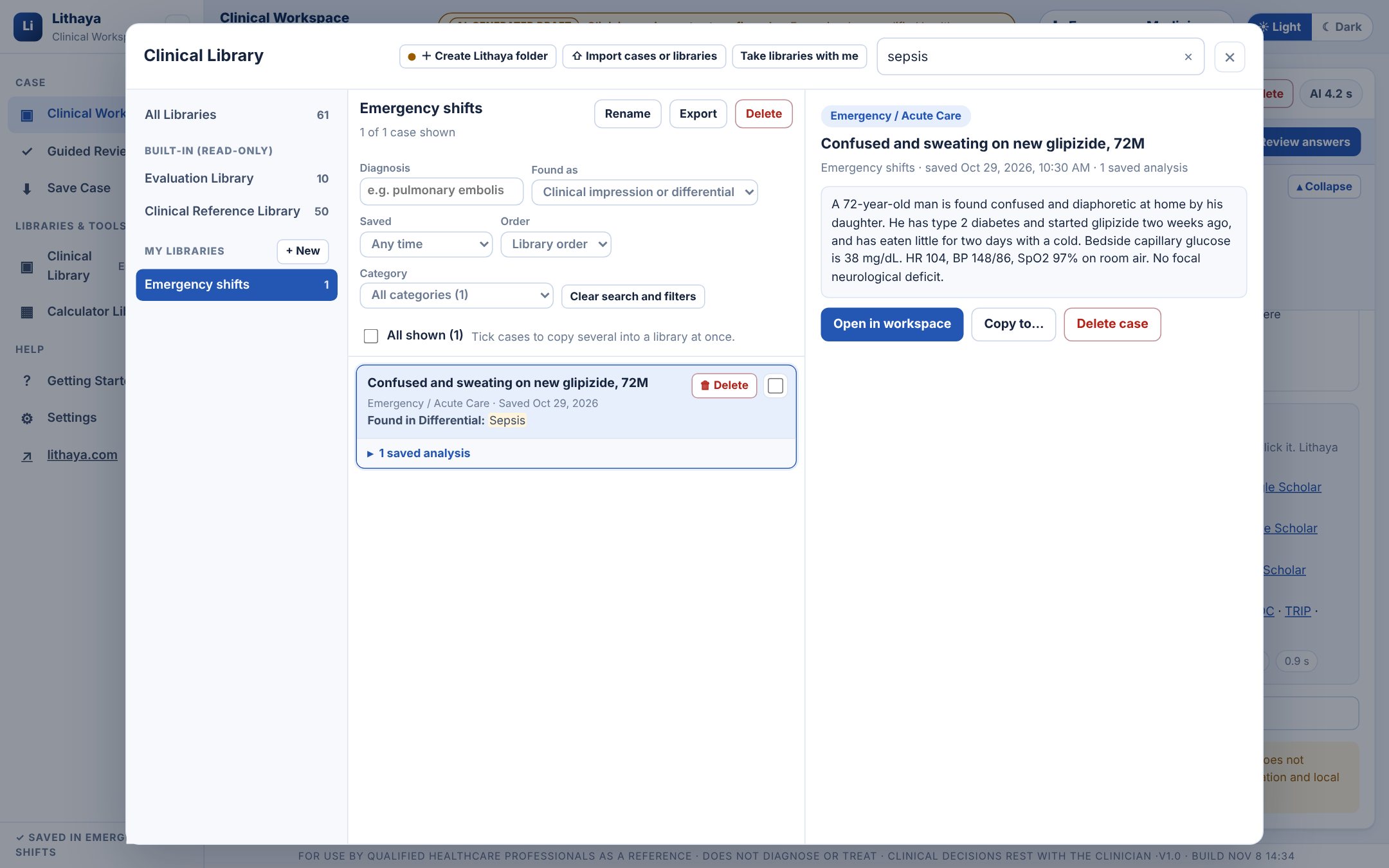
A patient comes back with symptoms that feel familiar. Type “pulmonary embolism” under Diagnosis, keep “Found as: Clinical impression or differential”, pick roughly when you saw it under Saved, and the earlier cases appear. Or type any word you remember into the search box; each result says where it was found. Open one and it is exactly as you left it: the case, the follow-up answers, the differential you were weighing and the notes you wrote.
Clinical Library · Emergency shifts
The Clinical Library with a personal library, Emergency shifts, searched for sepsis: the saved fictional case is found, marked Found in Differential: Sepsis, with its case text on the right and Open in workspace.
A fictional case saved to a personal library and found again by a word in its Differential Diagnosis.

Case history search

Can't remember which word you used?

One box searches everything saved with a case.

Title, description, case text, tags, recall notes, the clinical impression and differential of every analysis, and the text of every report section, your own edits included. Every word must be found; “quoted words” are a phrase. Each result says where it was found.

Diagnosis

Find the cases where a condition was the clinical impression, or anywhere in the clinical impression or differential.

Saved

Today, the last 7 or 30 days, the last 12 months, or between two dates. Each personal case shows the date it was saved.

Order and category

Library order, newest or oldest first, and a category list with the number of cases in each. One button clears the search and every filter.

What's included

Would you like to test it on cases you know before you rely on it?

Two built-in libraries, read-only.
Clinical Reference Library 50 cases

One fictional case for each of 50 common presentations, with the most typical age and sex for the condition.

  • Respiratory
  • Endocrine & Diabetes
  • Cardiology
  • Infectious Disease
  • Gastroenterology
  • Neurology
  • Musculoskeletal & Rheumatology
  • Renal & Urology
  • Dermatology
  • Mental Health
  • Women's Health
  • General Primary Care

Evaluation Library 10 cases

Ten short cases about actions that must not be delayed, to test Lithaya on presentations you already know well.

  • Sepsis
  • Bacterial meningitis
  • Anaphylaxis
  • Severe hypoglycemia
  • Acute stroke on warfarin
  • Apixaban planning
  • Possible upper GI bleed on aspirin
  • Stable hypertension
  • Stable hypothyroidism
  • Elective procedural sedation

Conditions covered

Does it cover the cases you actually see?

The 50 presentations in the reference library.

Respiratory

  • Mild intermittent asthma
  • Moderate persistent asthma
  • Acute asthma, moderate
  • Acute asthma, severe
  • COPD with increased symptoms
  • Community-acquired pneumonia

Endocrine & Diabetes

  • Newly diagnosed type 2 diabetes
  • Type 2 diabetes follow-up
  • Type 2 diabetes above target
  • Symptomatic hypoglycemia
  • Type 1 diabetes sick day
  • Diabetic ketoacidosis

Cardiology

  • Newly recognized hypertension
  • Uncontrolled hypertension
  • Atrial fibrillation with rapid ventricular response
  • Chronic heart failure with volume overload
  • Stable exertional angina
  • Possible acute coronary syndrome

Infectious Disease

  • Uncomplicated cystitis
  • Acute pyelonephritis
  • Lower-limb cellulitis
  • Influenza-like illness
  • Sepsis from suspected bacterial infection

Gastroenterology

  • Gastroesophageal reflux disease
  • Acute gastroenteritis with mild dehydration
  • Uncomplicated diverticulitis
  • Upper GI bleeding, stable

Neurology

  • Migraine without red flags
  • First generalized seizure
  • Possible transient ischemic attack
  • Acute focal neurologic deficit

Musculoskeletal & Rheumatology

  • Mechanical low back pain
  • Knee osteoarthritis
  • Acute gout flare
  • Suspected rheumatoid arthritis

Renal & Urology

  • Renal colic
  • Acute kidney injury from volume depletion
  • Stable chronic kidney disease

Dermatology

  • Atopic dermatitis flare
  • Plaque psoriasis
  • Localized herpes zoster

Mental Health

  • Major depressive episode
  • Generalized anxiety
  • Chronic insomnia

Women's Health

  • Primary dysmenorrhea
  • Abnormal uterine bleeding
  • First-trimester nausea and vomiting

General Primary Care

  • Iron-deficiency anemia
  • Primary hypothyroidism
  • Benign positional vertigo

Your own libraries

Are your cases scattered across notes, emails and memory?

Organize the cases that matter to you.
Save from the workspace

Save a case with its analyses, answers and a note on why it mattered.

Copy and reorder

Copy cases into any library, then drag them into your order.

Reopen exactly as it was

Reports, edits and answers come back, with no new AI call.

Your Lithaya folder

Do you work on more than one computer, and want your cases on your own drive?

Your libraries live in a folder you pick.
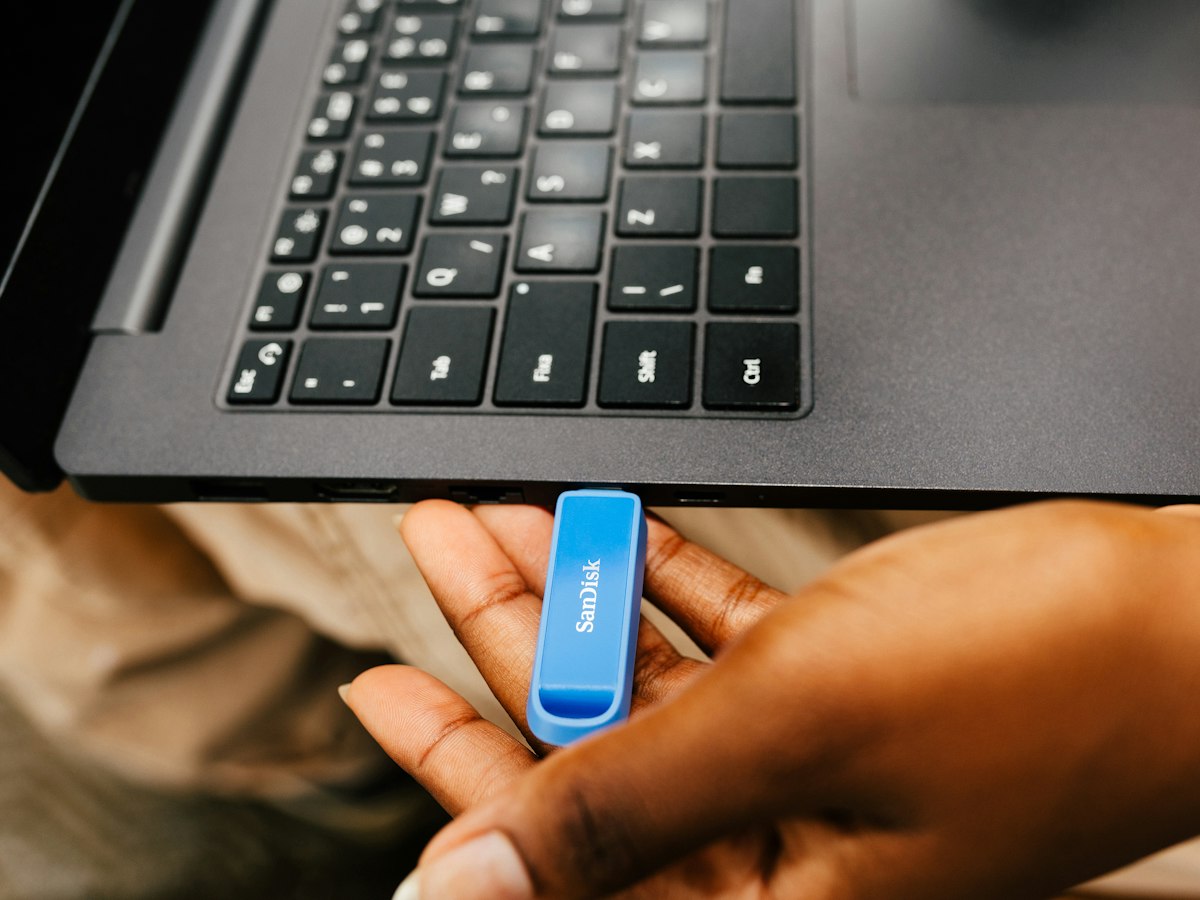
In Settings, create a Lithaya folder on your computer, a work drive or a USB key. Your libraries are saved there as ordinary files that you can back up like any other document. Chrome or Edge on a computer.

  1. Create the folder

    Choose where it goes, on your computer or a USB drive. Lithaya shows its full location, so you always know where your work is.

  2. Work as usual

    Cases you save are written into the folder's Libraries section, so they survive clearing the browser (choose the folder again afterwards) and never go to Lithaya's servers.

  3. Use it on several computers

    Put the folder in OneDrive, Google Drive or Dropbox and choose it on each computer. Lithaya keeps the newer copy of each case.

  4. Keep a backup

    Add a backup folder on another drive or USB key for a second copy of every save, or take your libraries with you as one bundle file.

You are responsible for your copies. Because your libraries are stored on your own devices, keep them backed up and protected by your device's password and encryption, as you would other clinical documents. Don't save identifying patient details in them.