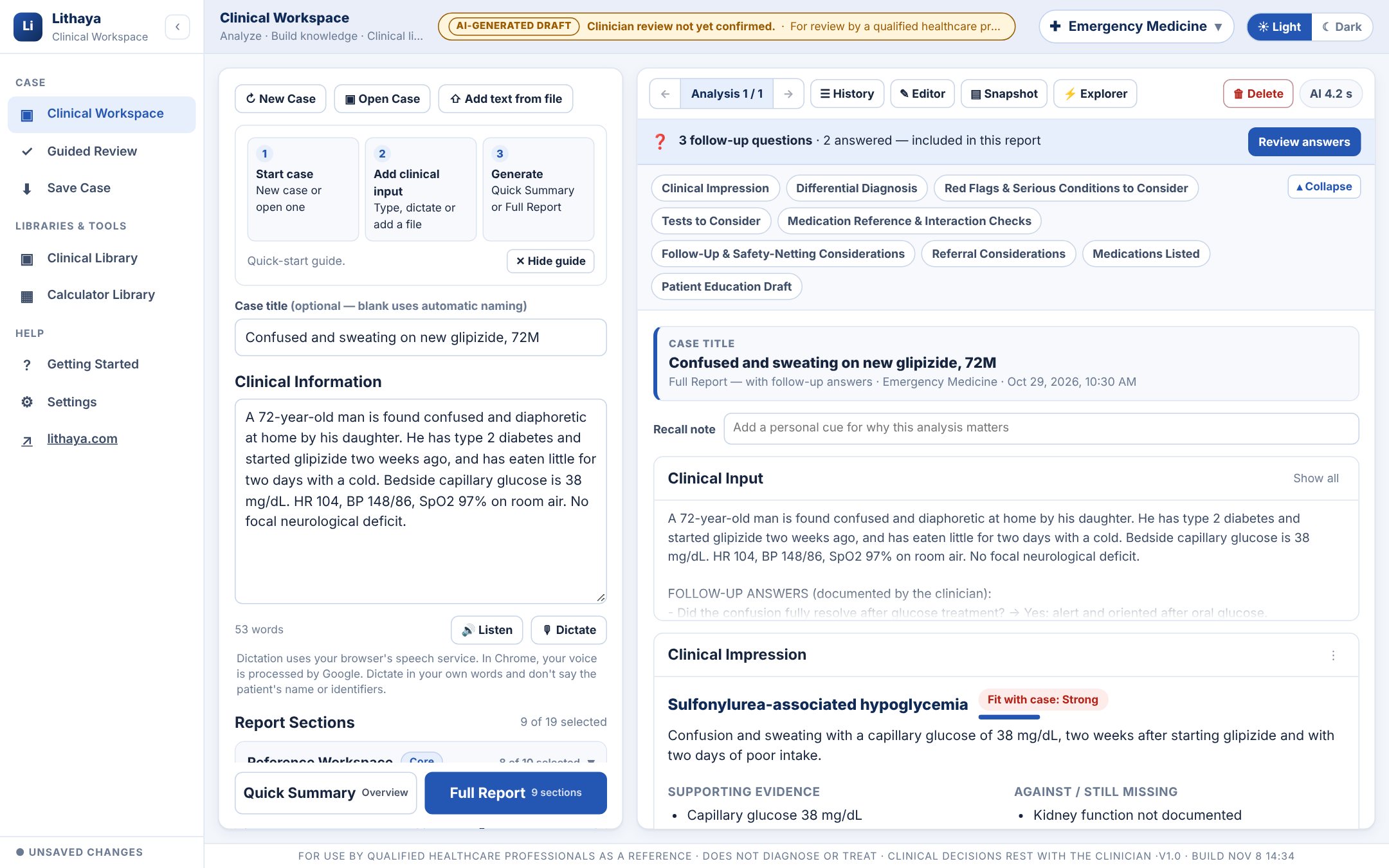
Clinical Workspace
Do you ever feel you're holding too many possibilities in your head at once?
A calm, structured second look at the case in front of you.

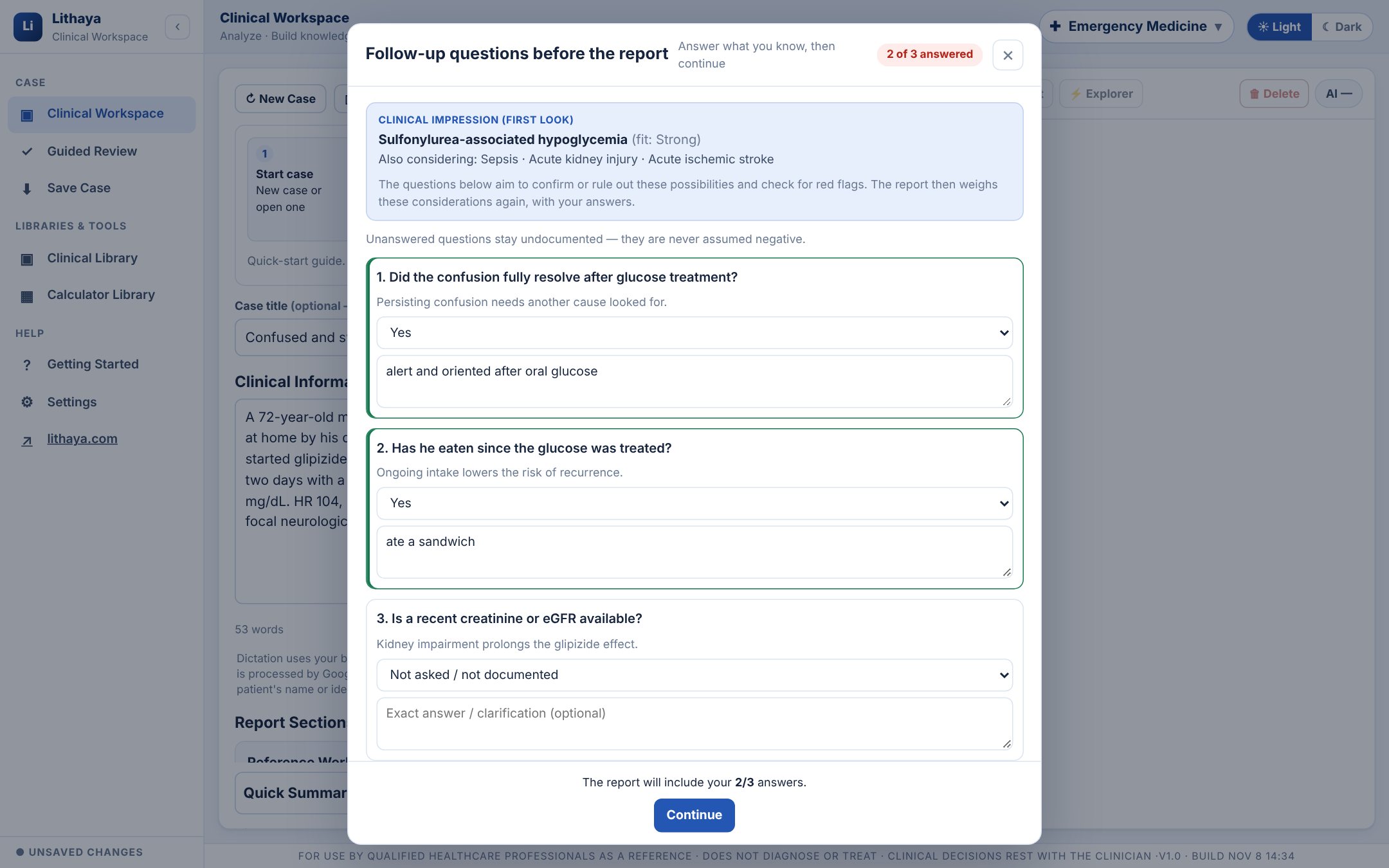
Follow-up questions
Do you ever wonder if there was one more question you should have asked?
The questions the history left open, before every Full Report.
Watch · 2 minutes · fictional case
Want to see how it works on a real case, start to finish?
See a full case, start to finish.
A narrated recording of the Clinical Workspace: confirm professional use, choose the specialty and the report sections, and enter the case. Full Report gives a first look and follow-up questions; two are answered and the report is written. Then the differential, red flags, tests, medication reference and sources, the Explorer, an analysis focused on one condition, History, the Editor, an export that asks you to confirm your review first, and the case saved and found again.
19 report sections
Do you only need part of a report for this patient?
Pick what this case needs.
Reference Workspace
Clinical Impression · Differential Diagnosis · Red Flags & Serious Conditions to Consider · Information to Clarify · Tests to Consider · Medications Listed · Medication Reference & Interaction Checks · Clinical Management Considerations · Referral Considerations · Follow-Up & Safety-Netting Considerations
Clinical Insights
Clinical Pearls · Associated Conditions & Comorbidities · Evidence & Further Reading
Draft Clinical Documents
Draft SOAP Note · Draft History & Physical · Draft Progress Note · Draft Referral Letter · Draft Discharge Summary · Patient Education Draft
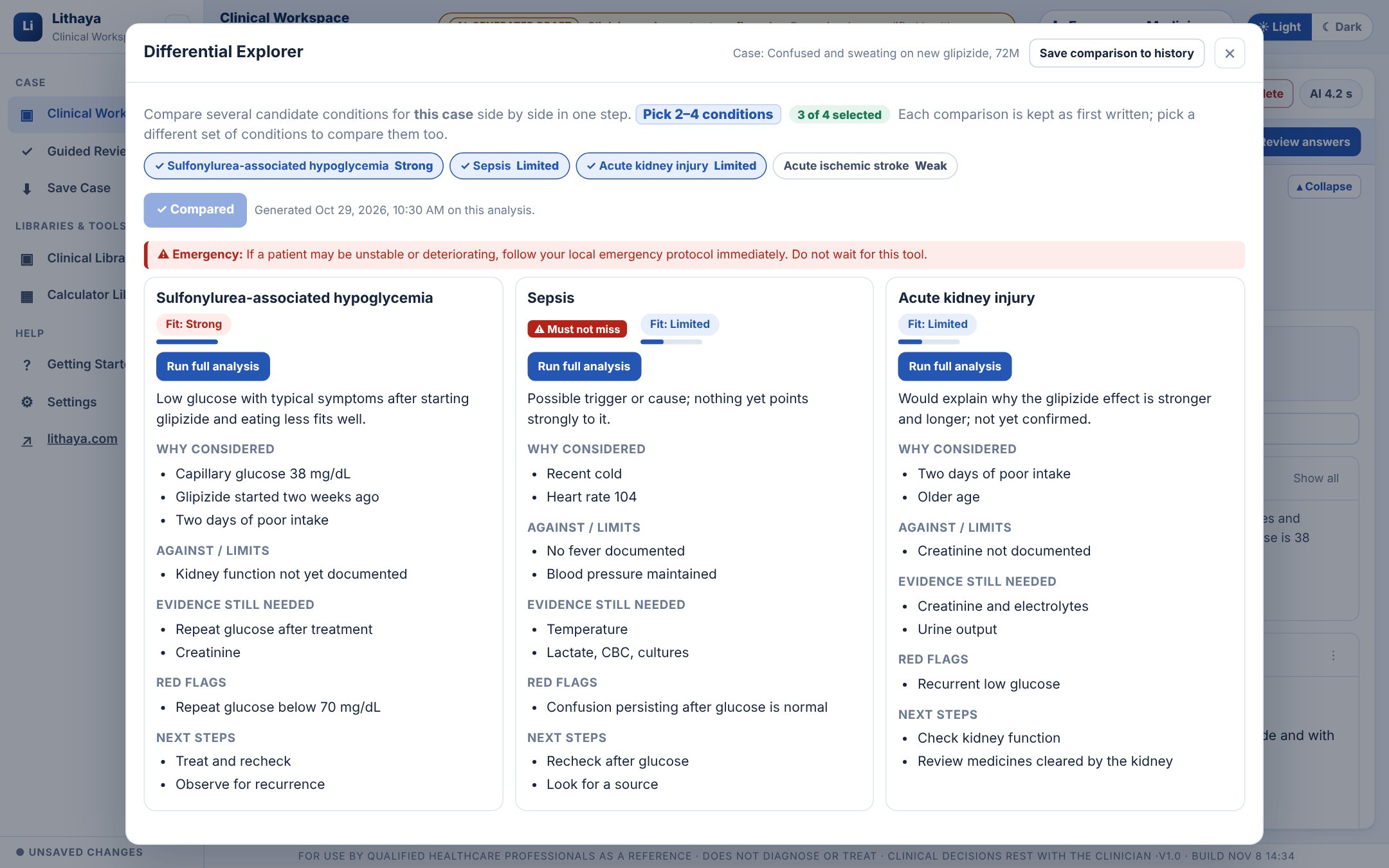
Differential Explorer
Ever find yourself going back and forth between two diagnoses?
Put two to four conditions side by side.
Compare fit with the case, what is for and against each, the evidence still needed, red flags and next steps. Each comparison is kept as first written. Select any condition to write an analysis focused on it; the earlier report is kept.
Clinical Snapshot
Would you like the whole picture before you walk into the room?
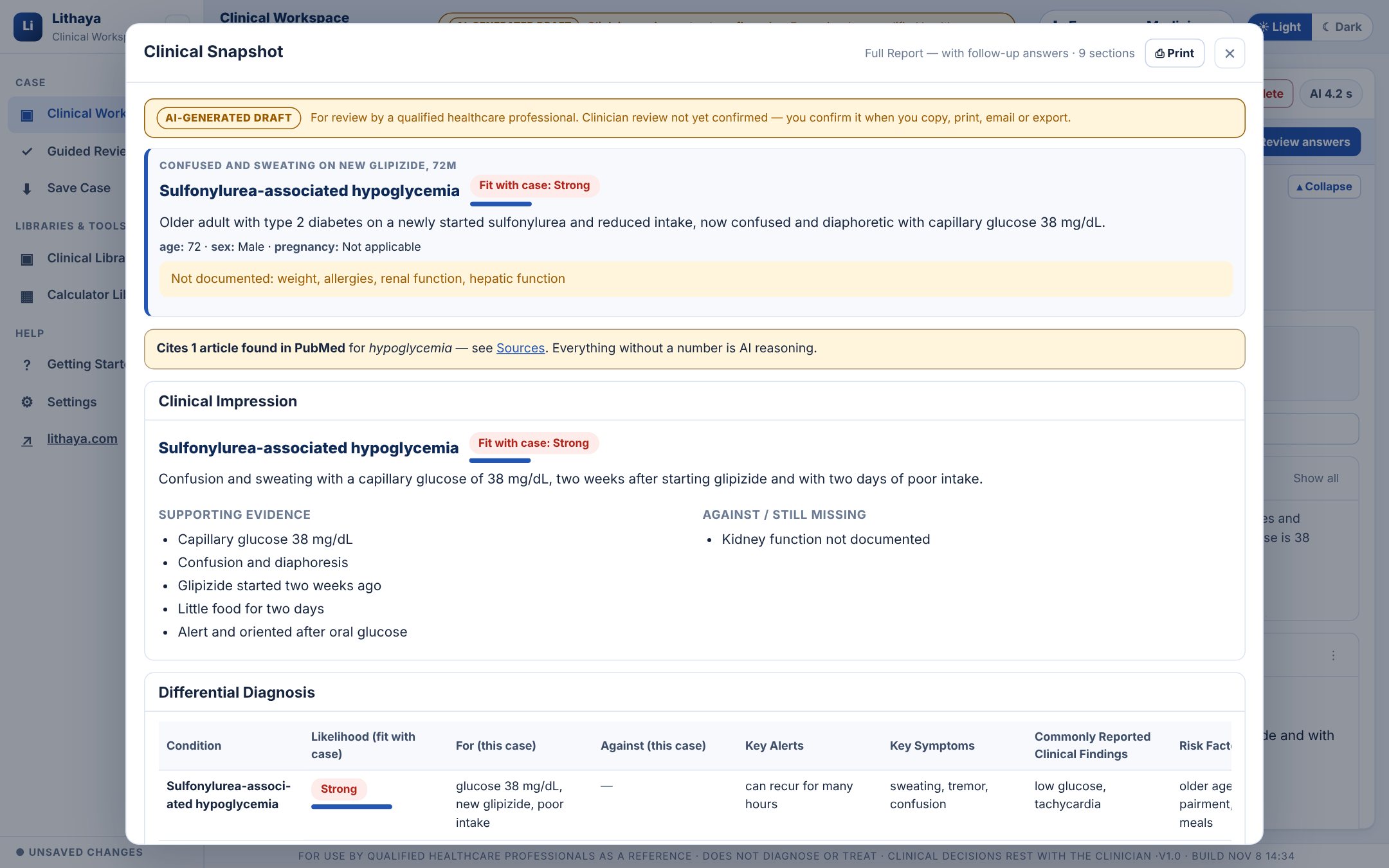
The whole analysis on one screen.
Snapshot lays every section out as a compact overview with the patient factors that were and weren't documented, for a last check before you see the patient or write the note. It prints on its own.
Sources
Where does that recommendation come from, and is it current?
Citations you can check, and none invented.
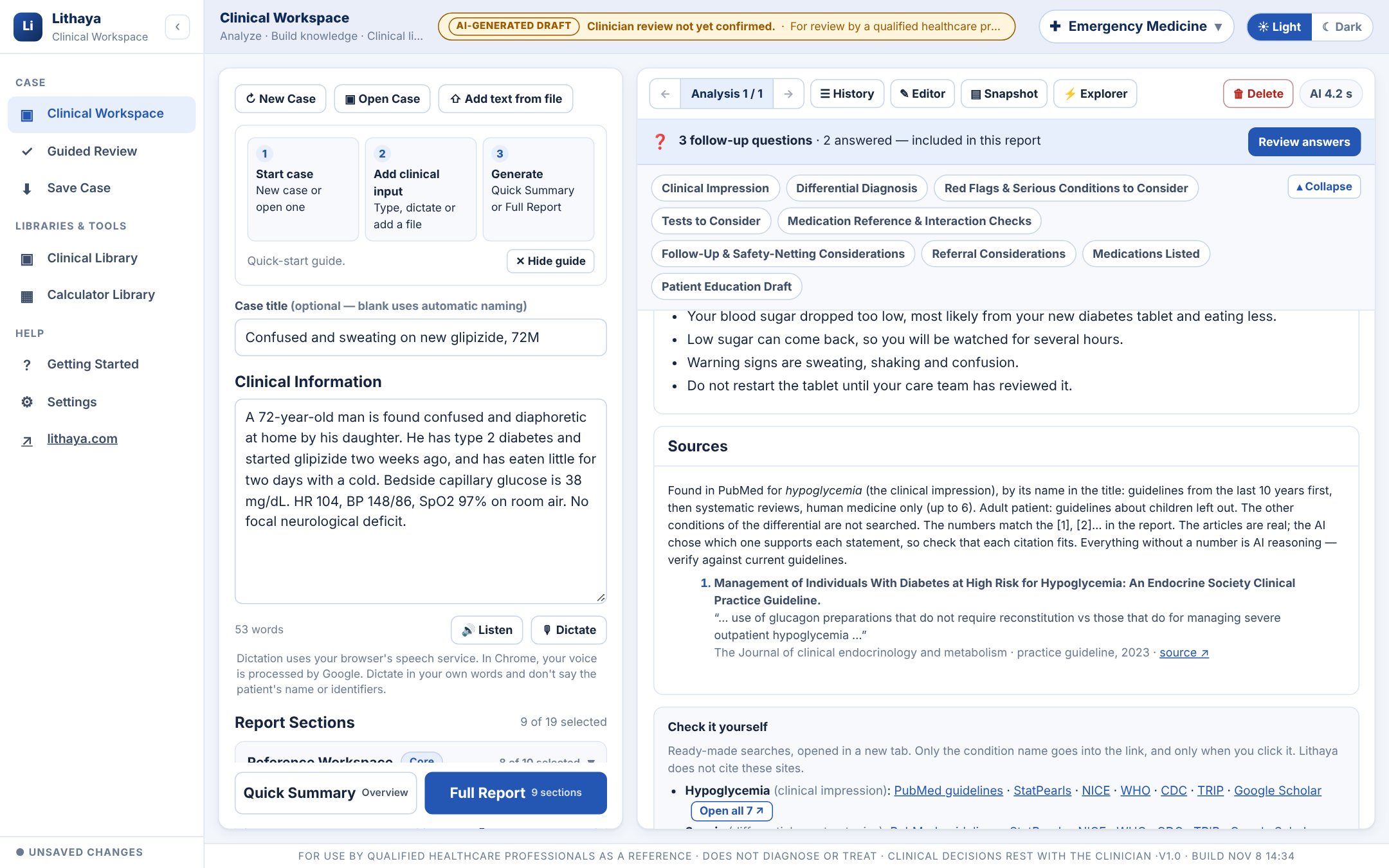
For every case, Lithaya looks up guidelines from the last ten years and systematic reviews in PubMed for the clinical impression, matched to the patient's age group, and gives them to the AI as the only sources it may cite. The articles are real and linked; any reference the AI invents is removed and counted. The AI chooses which article supports each statement, so check that each citation fits.
- Each [n] opens the Sources list over the report, with the quoted passage
- “Check it yourself”: ready-made searches in PubMed, StatPearls, NICE, WHO, CDC, TRIP and Google Scholar for each condition
- Only condition names are searched, never your case text
Safeguards in every report
What if the AI gets it wrong?
Made to be reviewed, not just read.

Tools above every report
Changed the report and wish you could see what it said before?
Nothing is overwritten without a trace.

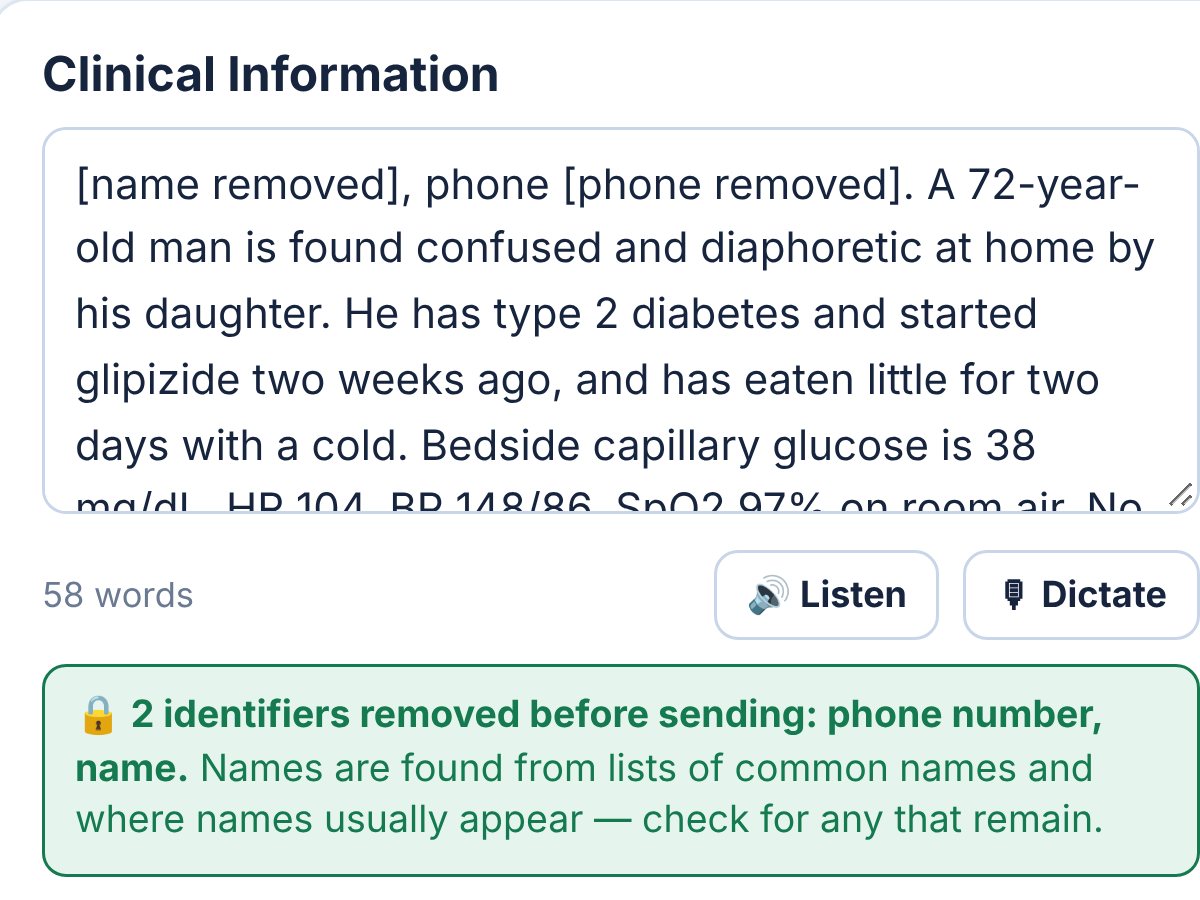
Where the case goes
Is it safe to put a case in here?
Identifiers removed first, then sent only to produce your report.